
Speed is a sales problem before it is a technical one
A community page may carry a hero photo, an exterior gallery, elevations for every plan, interior renderings, a site plan, a map and a virtual tour. For buyers, that is the point: they are deciding whether a home is worth a drive. On a phone, it is also a lot to download, and a page that takes too long loses the buyer before the community ever appears.
Cristobal Varela’s book calls speed a financial metric, because every extra second costs clicks, leads and advertising efficiency. For a builder the cost is concrete. A buyer who gives up on a slow community page from a phone in a parking lot is a tour that didn’t happen, and if that visit came from a paid ad, you paid for it too.
What Core Web Vitals measure, in plain terms
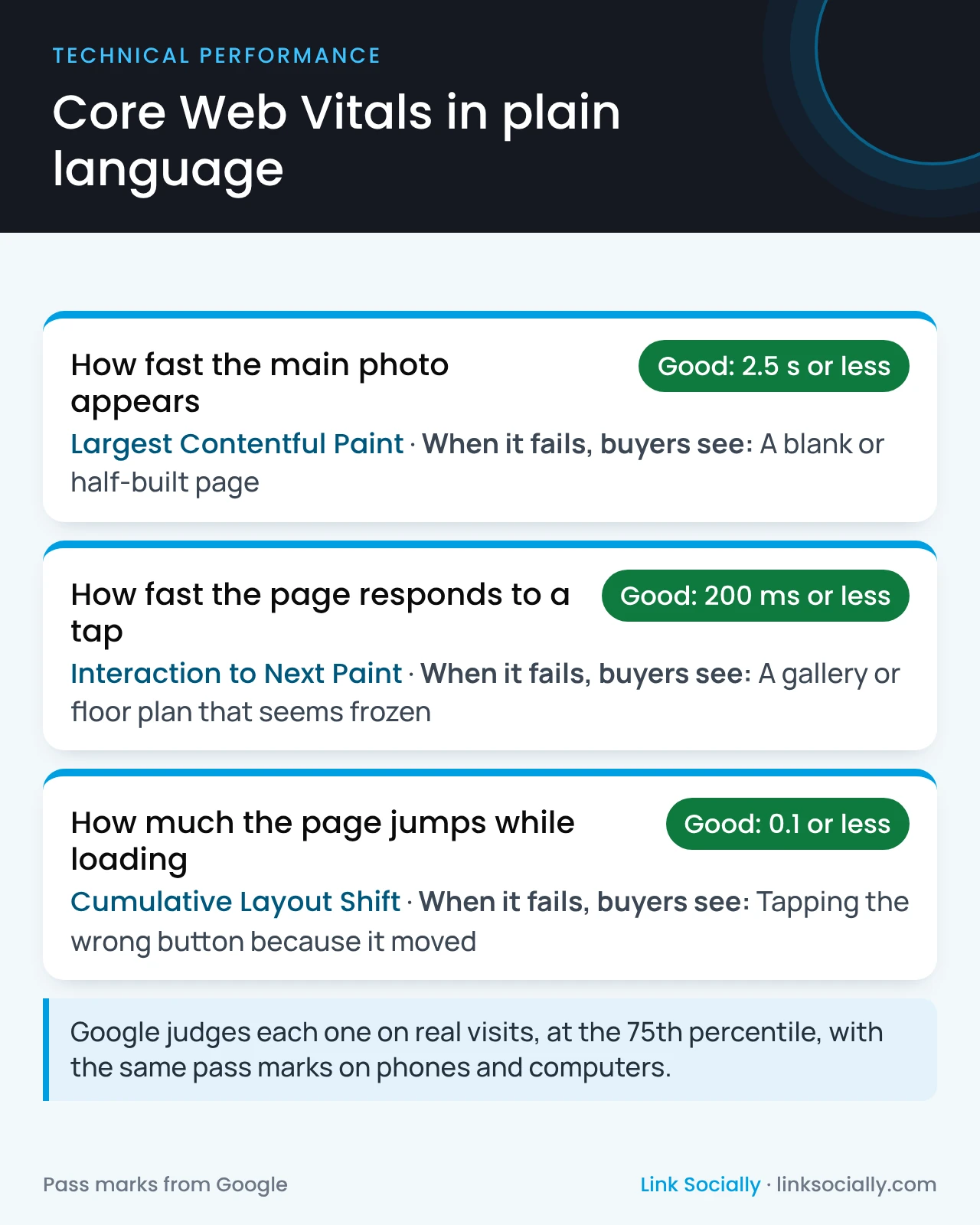
Your agency or web team may report “Core Web Vitals.” They are Google’s three measures of how real visitors experience a page, and each has a pass mark.
- Largest Contentful Paint: how fast the main content, usually the community’s lead photo, appears. Good is 2.5 seconds or less. When it fails, buyers stare at a blank or half-built page.
- Interaction to Next Paint: how quickly the page responds to a tap, such as opening a gallery or a floor plan. Good is 200 milliseconds or less. When it fails, the page feels frozen.
- Cumulative Layout Shift: how much the page jumps while it loads. Good is 0.1 or less. When it fails, buyers tap the wrong button because it moved.
Google judges each one on real visits, at the 75th percentile, and uses the same pass marks for phones and computers. Phones are where builder sites usually fail, and phones are where most buyers browse.
Why builder websites fail, and why it’s a leadership issue
Builder sites rarely fail because of one bad page. They fail because of decisions made one at a time, each reasonable on its own:
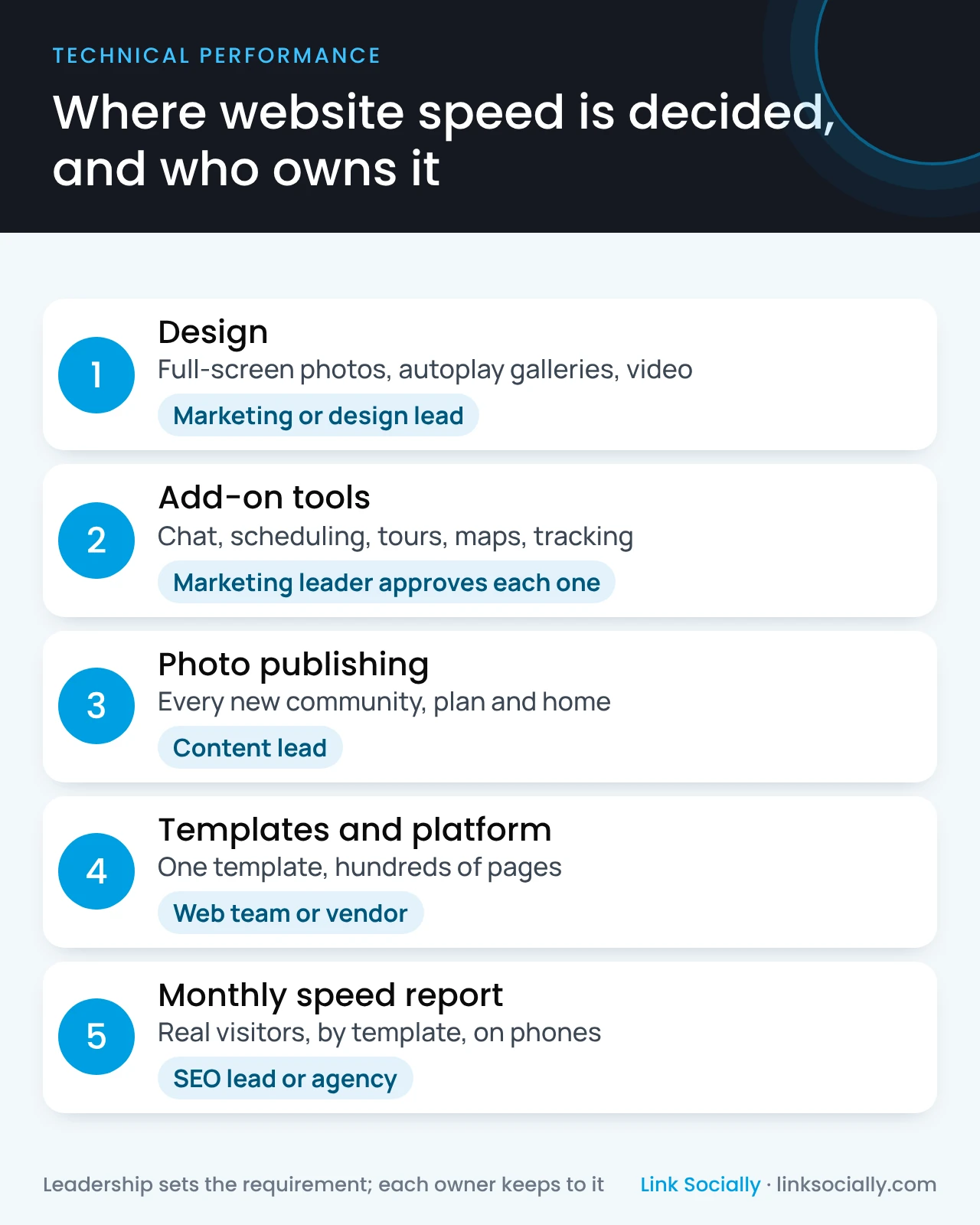
- Design choices such as full-screen photos, autoplay galleries and video headers, approved for how they look on a large office monitor.
- Add-on tools such as chat, scheduling, virtual tours, maps, reviews widgets and tracking, each added by a different team or vendor.
- Publishing habits such as uploading photos straight from the photographer or the rendering studio, at many times the size a phone needs.
- Templates, where one slow design is repeated across every community, floor plan and quick move-in page.
That last point is also the good news. Because builder sites run on a few templates, one fix to a template improves hundreds of pages at once.
Questions to ask your team or agency
You don’t need to read a speed report line by line. Ask these questions and expect clear answers:
- Do our community, floor plan and quick move-in pages pass Core Web Vitals on phones, for real visitors, not just in a one-off test?
- Which template fails worst, and how many pages use it?
- What does each add-on tool cost us in speed, and who approved it?
- Is there a speed requirement in our website contract or redesign brief, and who checks it before launch?
- Who makes sure new photos are prepared to a standard before they are published?
If the answers are “we’ll check,” the first finding is that nobody owns speed.
What a 30.7GB to 3.1GB cleanup taught us
Inside a national builder, Cristobal Varela led a program that optimized 30,000+ images in 2 months and cut total image weight from 30.7GB to 3.1GB, without lowering the visual quality buyers need. The image optimization case study describes how it was done.
The lasting lesson was about governance, not technology. A one-time cleanup decays as new communities, plans and homes are published. Standards built into how the company publishes are what keep the gain.
What leadership should approve
Cristobal Varela’s book makes the front-end lead accountable for page experience and asks leadership to approve performance budgets during design and development, not after launch. In practice, that means approving:
- A speed requirement for every template, written into briefs and vendor contracts, with phones as the test.
- A rule that new add-on tools are reviewed for speed before anyone adds them, whatever team asks.
- Photo standards in the publishing process, so every new community follows them without a cleanup project.
- A monthly real-visitor speed report by template, and a speed check before any redesign or platform change goes live.
A technical SEO audit shows which templates fail and ranks the fixes by how many pages, and buyers, each one helps. Speed is also one of the 15 questions in the home builder SEO audit checklist.